One WhatsApp inbox for your whole team

Leave behind the phone passed from hand to hand. Your team handles the same WhatsApp from a shared inbox, with roles, assignment and full history in view.

Request a demo →
app.wagmanager.com/messaging/inbox
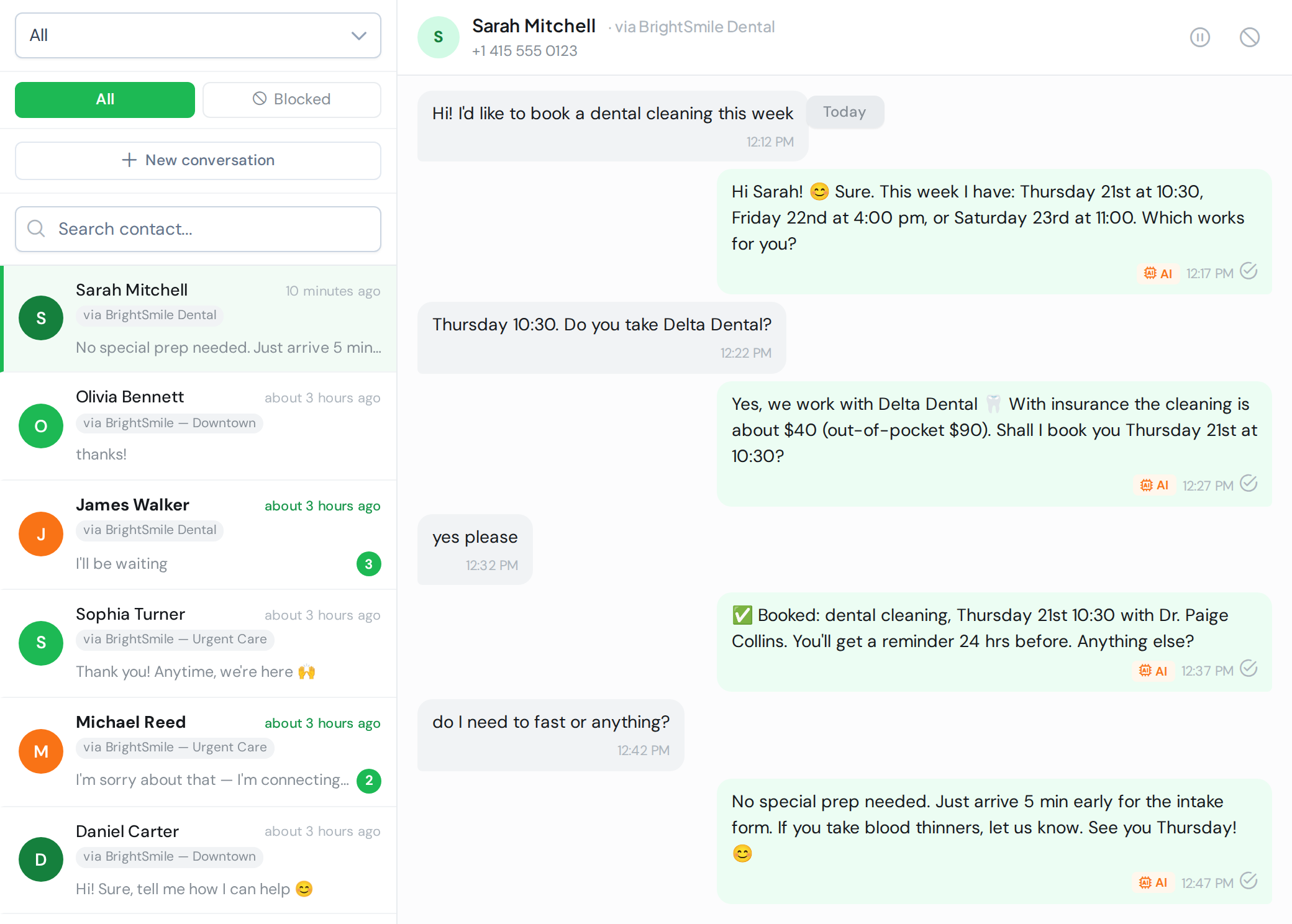
WAG shared inbox: conversation list with per-number filter and open chat
👥

Everyone in one inbox

Your team handles the same WhatsApp without stepping on each other.

🔑

Roles and permissions

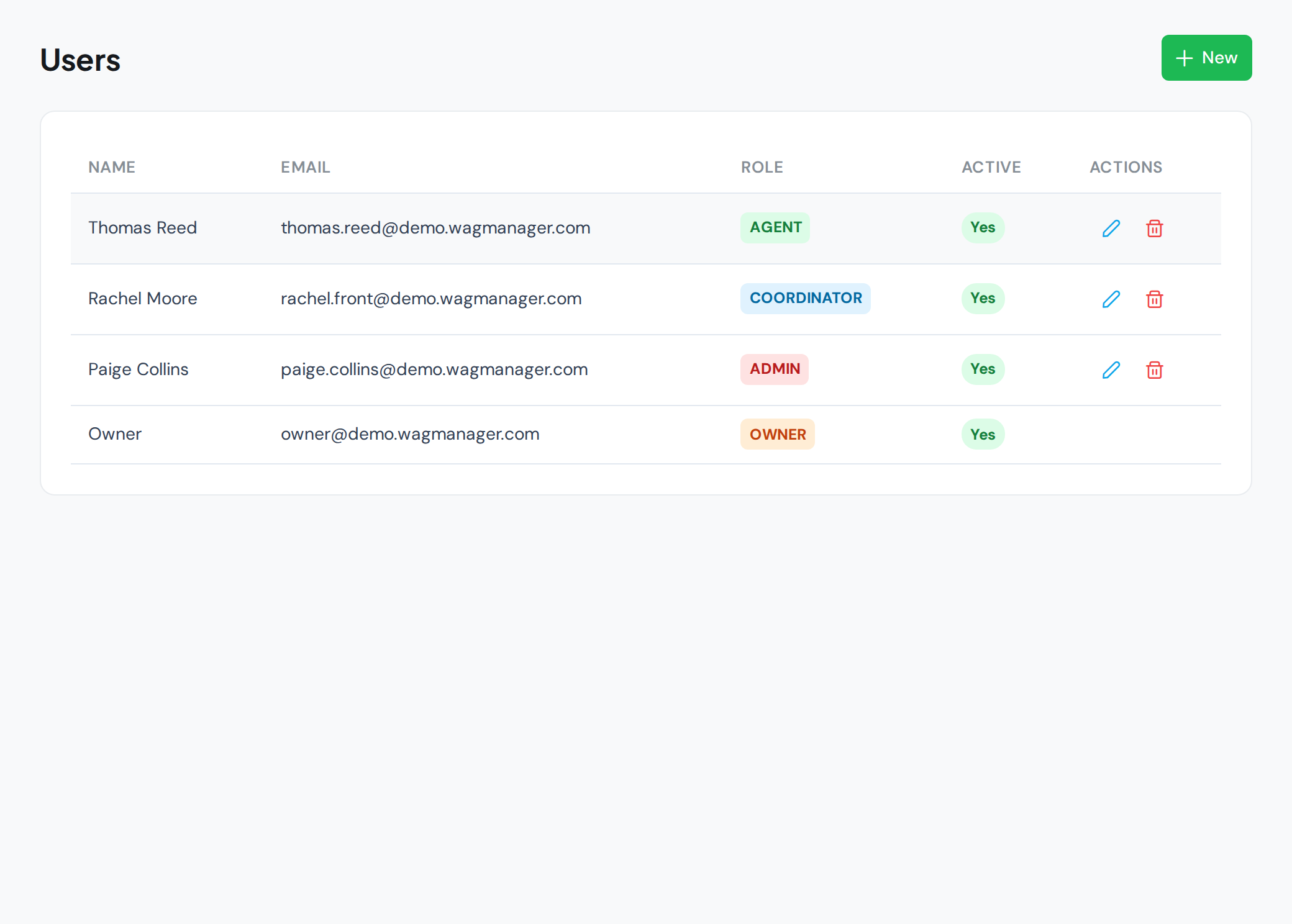
Owner, Admin, Coordinator, Agent: each sees and does what they should.

🧾

Everything is logged

Full history per contact and conversation. Nothing gets lost.

How it works

Every conversation, in order

Conversations are separated by contact and by number. Assign chats, mark read/unread and your team works in sync. If a customer writes to two numbers, each conversation stays independent and clear.

  • Assignment and conversation states
  • Threads separated per number
  • Contact blocking and spam control
app.wagmanager.com/settings/users
WAG team users and roles management

Your business WhatsApp shouldn’t live on a single phone

As a business grows, WhatsApp becomes a bottleneck: one person with the phone, lost messages, waiting customers and no one knows who answered what. WAG’s shared inbox turns that chaos into an organized system where your whole team works together.

Roles built for real teams

Not everyone does the same. That’s why WAG has five roles — Owner, Admin, Coordinator, Agent and Viewer — with granular permissions. Each person sees exactly what they need.

Assignment without stepping on each other

Conversations can be assigned so it’s clear who owns each customer. Add read/unread states and per-number filters, and your team stops duplicating replies or leaving messages unanswered.

History that doesn’t get lost

Every conversation with each contact is logged, no matter who handled it. If a customer returns, anyone on the team picks up with full context. And since conversations are separated per number, the same contact can have independent chats across your different WhatsApp numbers.

Frequently asked questions

As many as you need. Add members, assign a role and they start handling chats from the same inbox.

Combine it with:

Organize your team’s WhatsApp.

We’ll show the shared inbox with your own case.

Request a demo →